
What to Do in the Final Two Minutes of a CCS Case
The case-end screen arrives with about two minutes of real time left, and it locks more than most candidates expect. Here is exactly what closes, what still counts, and the order to work in.
Most candidates rehearse the opening of a CCS case obsessively. They know the first five orders for chest pain cold. Far fewer have rehearsed the last two minutes, which is where a surprising number of available points quietly go unclaimed.
The pattern is familiar to anyone who has reviewed their own practice cases honestly: the diagnosis was right, the treatment was right, and the case still felt incomplete. Nothing dramatic went wrong. The candidate simply ran out of runway before writing down the things a real clinician would have done next.
This article covers what actually happens when the case-end prompt appears, what the software locks at that moment, and a repeatable closing sequence you can run under pressure.
In this article
- What happens at the two-minute mark
- What the case-end screen locks
- Why closing points are the easiest points to lose
- A closing sequence you can run in two minutes
- The orders that must be placed before the prompt
- Five ways candidates waste the closing period
- How to rehearse the ending, not just the opening
- FAQ
What happens at the two-minute mark
Step 3 CCS cases are allotted a maximum of either 10 or 20 minutes of real time, and a case can also end earlier — the USMLE describes a case as ending "when you have demonstrated your skills sufficiently or you have run out of real or simulated time."
When roughly two minutes of real time remain, the software interrupts you with the case-end instructions screen. The official guidance is direct: once you are prompted with that screen, "real time permitting, you will have a few minutes to finalize your orders and review the chart."
Two things are worth underlining in that sentence.
"Real time permitting." The closing window is not a guaranteed, protected two minutes. It is what is left of the clock. If you have spent the case scrolling, the window is smaller.
"Finalize your orders." The exam is explicitly telling you that the closing period exists to be used. It is not a farewell screen. It is a scored part of the case.
What the case-end screen locks
This is the part that catches people out. The moment the prompt appears, a specific set of actions becomes unavailable. According to the USMLE's own CCS materials, once the case-end instructions screen appears you cannot:
- order physical examination components
- change the patient's location
- order a follow-up appointment
- see the results of any pending tests
The USMLE's walkthrough of running a case adds that you can no longer advance simulated time. What you can still do is write orders — including medications — and review the chart before you exit.
| Action | Before the prompt | After the prompt |
|---|---|---|
| Advance the simulated clock | Yes | No |
| Interval history or physical exam | Yes | No |
| Change patient location or disposition | Yes | No |
| Schedule a follow-up appointment | Yes | No |
| See results of pending tests | Yes | No |
| Write new orders (including medications) | Yes | Yes |
| Cancel an order you regret | Yes | Yes |
| Review the chart and order sheet | Yes | Yes |
The practical consequence: anything involving movement, examination, or time must be finished before the prompt appears. The closing window is for writing, not for looking.
Why closing points are the easiest points to lose
CCS is not scored on whether you named the diagnosis. It evaluates how you managed a patient — which includes the unglamorous parts of management that a good physician does automatically and a rushed candidate skips.
Think about what an experienced clinician does in the last minutes of a real encounter. They confirm the treatment is actually running. They order the monitoring that will detect the thing most likely to go wrong. They check the safety items — allergies, pregnancy status, interactions, precautions. They counsel. They arrange what happens next.
Clinical relevance determines which actions matter. Generic counseling, diet and activity orders may carry little or no weight unless they are specifically relevant. Do not delay urgent treatment to complete a routine checklist.
The failure mode is rarely ignorance. It is sequencing. Candidates who lose closing points usually knew the patient needed a statin, a pneumococcal vaccine, smoking cessation counseling, or DVT prophylaxis. They just never wrote it down.
A closing sequence you can run in two minutes
Use this sequence as a reminder to check clinically important unfinished care. It is not an official ranking of scoring weights; prioritize the needs of the patient in the case.
The closing sweep
- Treatment confirmed. Is the definitive therapy for your working diagnosis actually on the order sheet — at a sensible route and frequency — rather than merely intended?
- Monitoring in place. What will detect deterioration or treatment failure? Continuous pulse oximetry, telemetry, serial exams, repeat labs, urine output, neuro checks.
- Safety screen. Allergies, pregnancy status where relevant, renal or hepatic dosing, drug interactions, isolation precautions, fall or seizure precautions, VTE prophylaxis.
- Reversible threats addressed. Glucose, electrolytes, oxygenation, volume status, pain, source control. The things that harm patients while you are busy being right about the diagnosis.
- Prevention and counseling. Smoking cessation, alcohol counseling, diet and exercise, adherence, safe sex, seat belts, vaccinations, and any counseling specific to the presentation.
- Discontinue what is now wrong. Cancel orders that have become inappropriate. Contradictory orders left running are part of the picture you are handing in.
Notice what is missing from that list: disposition and follow-up. That is deliberate, and it is the single most useful thing to internalize about the ending of a CCS case.
The orders that must be placed before the prompt
Because location changes and follow-up appointments are locked once the case-end screen appears, the disposition decision has to be made while the case is still live.
This inverts how many candidates instinctively work. The reflex is to leave disposition until last, the way you would leave it until the end of a real shift. In CCS, disposition is not a closing item — it is a mid-case item that happens to have consequences at the end.
A more reliable habit is to treat disposition as a running question rather than a final one. Every time you advance the clock, ask whether the patient is still in the right place. An ED patient who has stabilized and been treated may need to be admitted to the floor, moved to the ICU, or discharged with follow-up — and each of those is an action the software will stop accepting the moment the prompt appears.
Practical rule: the moment your patient is stable and definitively treated, place the disposition and the follow-up appointment. Do it while you still have clock. Then use whatever is left for the closing sweep.
The same logic applies to the interval history and physical examination. If you want to document that the abdomen is now soft, the wheeze has cleared, or the neurologic deficit has improved, that examination has to be requested while the case is running. Those requests also advance simulated time, which is another reason they belong in the middle of a case rather than at its end.
Five ways candidates waste the closing period
Review only the chart information needed to make a safe decision, then complete the indicated orders. Avoid rereading the whole chart without a specific question.
2. Ordering tests whose results you will never see. Pending results do not return once the prompt appears. An indicated test is still a reasonable action to place, but placing tests as a substitute for treatment is not a strategy — it is anxiety in order form.
3. Panic-ordering. Broad, defensive order sets placed in the last thirty seconds tend to include things that are unnecessary or actively inappropriate for the patient in front of you. A focused close reads better than a long one.
4. Discovering the patient is in the wrong location. By the time the prompt appears, this is unfixable. It is the most avoidable category of lost points in the entire exercise.
5. Freezing. The prompt is abrupt and it interrupts whatever you were doing. Candidates who have never practiced the transition lose ten or fifteen seconds simply reorienting. Candidates who have practiced it start writing immediately.
How to rehearse the ending, not just the opening
Openings get rehearsed because they are dramatic and because every question bank trains them. Endings get rehearsed only if you deliberately build them into practice.
Three things help.
Practice with a real clock. Reading a case script and reasoning through it teaches medicine. It does not teach you what it feels like to be interrupted at 8 minutes 4 seconds with a treatment half-written. Interface-accurate practice on the official materials is the closest thing to the real interruption.
Run a fixed closing sweep every single time, including on cases where you feel finished. The value of a checklist is that it is unconditional. If you only run it when you remember to, you will not remember to on test day.
Review your omissions, not just your score. A practice score tells you how you did. A list of what you missed and when you missed it tells you what to change. If your misses cluster at the end of cases — monitoring gaps, absent counseling, no disposition — that is a workflow problem, and workflow problems respond quickly to targeted repetition.
Built for this
Rehearsing the close, one short case at a time
CCS Orbit is a Step 3 CCS practice app designed for iPhone. Each interactive case has a real-time budget. When active management ends, its case-end screen shows what remains available—chart review, canceling orders and final orders—and what is locked, including the clock, examination and location. Practice a consistent closing sweep before reviewing the debrief.
Afterward, the debrief separates what you did well from what was missed, late, out of sequence, or unsafe, and files recurring omissions into an error log you can filter and sort. It is designed as a supplement you can run in ten minutes between other commitments, not a replacement for a full desktop case bank.
Three cases are free. Orbit Plus offers a 60-day Exam Pass for US$34.99 or lifetime access for US$59.99. These are the only two paid options. Both are one-time purchases with no automatic renewal or monthly subscription. Regional prices and applicable taxes appear in the App Store purchase sheet. See Orbit Plus options.
Available on the App Store soon. Get one email at launch →
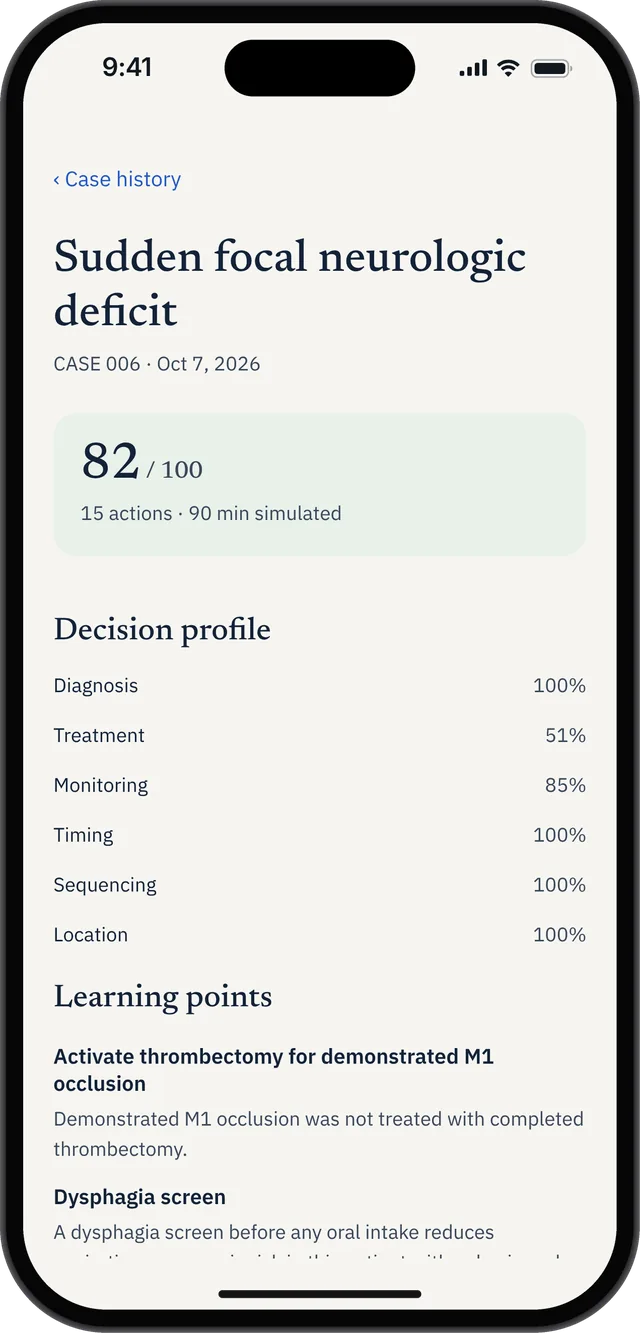
Saved attempt feedback preserves specific learning points for review before another case. This screenshot shows case history, not the official case-end screen.
FAQ
Is the two-minute warning in real time or simulated time?
Real time. The USMLE's walkthrough of running a CCS case describes the alert appearing when approximately two minutes of real time remain. Simulated time inside a case can span minutes to weeks and is unrelated to the countdown on your case clock.
Can I still order medications after the case-end screen appears?
Yes. The USMLE materials state that once you reach the case-end instructions screen you have a few minutes, real time permitting, to finalize your orders and review the chart, and that new medication orders remain available. What you cannot do is order physical exam components, change the patient's location, order a follow-up appointment, or see results of pending tests.
Why did my case end before the time limit?
A CCS case ends when you have demonstrated your skills sufficiently or when you run out of real or simulated time. A case ending early is not automatically a bad sign — it often means the scenario reached its natural conclusion. Unused time from one case does not carry over to the next.
Should I order a follow-up appointment at the end of every case?
Follow-up is frequently part of appropriate management, particularly in outpatient scenarios — but it has to be ordered before the case-end screen appears, because scheduling a follow-up appointment is one of the actions the software locks at that point. Treat it as a mid-case decision, not a closing one.
Does ordering more things at the end improve my score?
No study resource can tell you exactly how the USMLE weights individual actions, and the scoring algorithm is proprietary. What is clear from the exam's own description is that CCS assesses patient management as a whole, which includes appropriateness. A short, focused set of indicated closing orders is a better representation of clinical judgment than a long defensive list.
Keep reading
Sources
- USMLE, Computer-based Case Simulations — case-end instructions screen and locked actions.
- USMLE, How to Run a Step 3 CCS Case (video transcript, PDF) — the two-minute real-time alert and closing restrictions.
- USMLE, Common Questions: Step 3 CCS — how and when a case ends.
- USMLE, Step 3 Exam Content — Day 2 structure and per-case real-time limits.
Build recall alongside this workflow: search the free CCS mnemonic database, with practical accuracy notes and downloadable PDF and CSV.