Save and resume
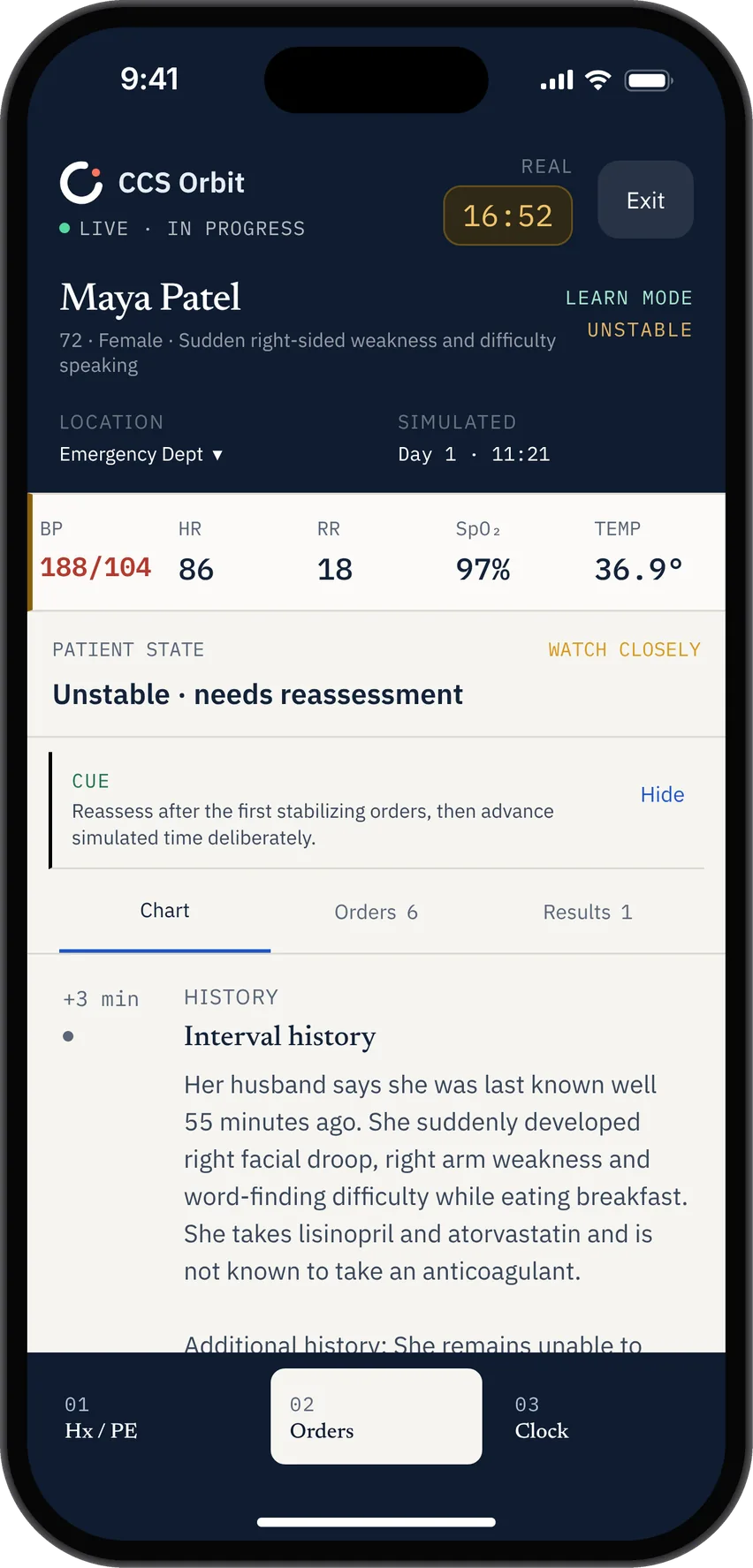
Use Save & exit to keep the patient state, orders and remaining time. Pick up the saved case from Home.
 CCS Orbit
Notify me at launch
CCS Orbit
Notify me at launch
CCS Orbit is a mobile-first USMLE Step 3 CCS simulator. Place orders, advance simulated time and improve your timing, sequencing and reassessment.
Available on the App Store soon.
BUILT AROUND YOUR EXAM
From your first order to your next case, keep learning connected.
Use Save & exit to keep the patient state, orders and remaining time. Pick up the saved case from Home.
Get guidance and trap warnings in Learn mode. Switch to Exam mode for practice without in-case teaching cues.
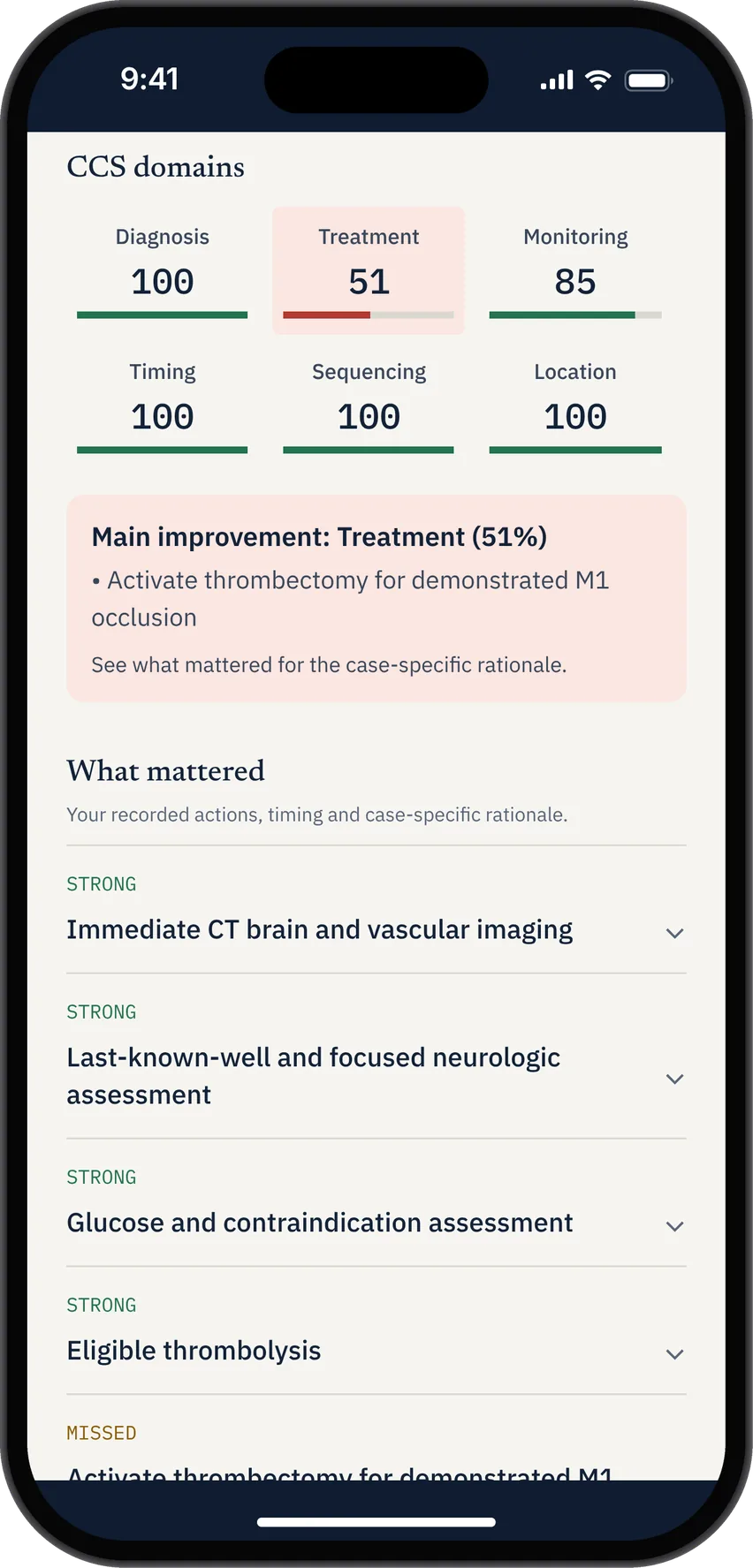
Connect your result to the decisions you made, missed or delayed, then review each management domain.
Find recurring mistakes across completed attempts. Filter by issue type and sort by frequency, recency or domain.
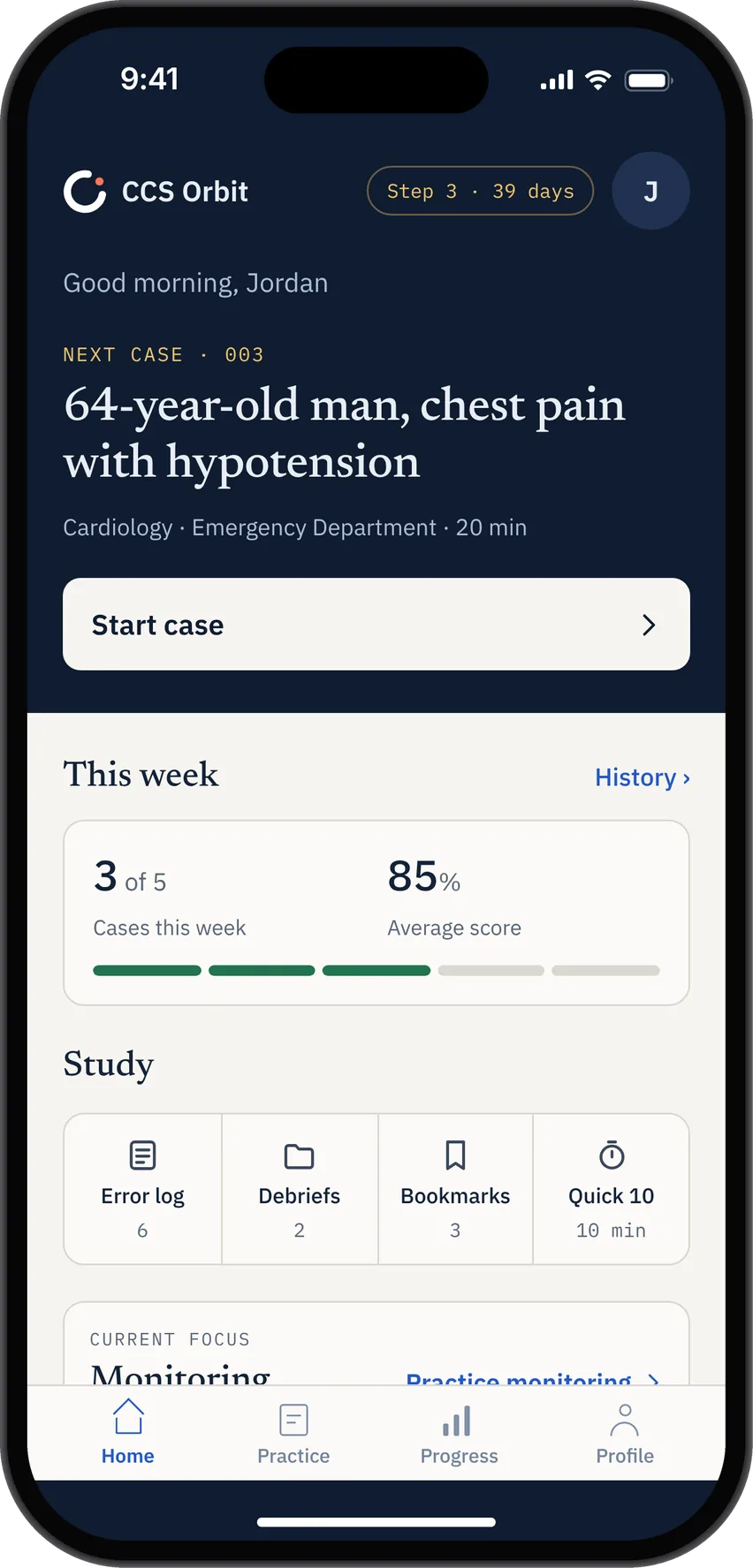
Start with your weakest domain or choose a different focus, then browse cases that target it.
Practice the closing stage: review the chart and place relevant final orders before the case ends.
Explore CCS practice on iPhone, including offline cases and debriefs →
THE COMPLETE MANAGEMENT LOOP
Explore what happens before, during and after each case.
MANAGE
Turn clinical reasoning into a sequence of decisions.
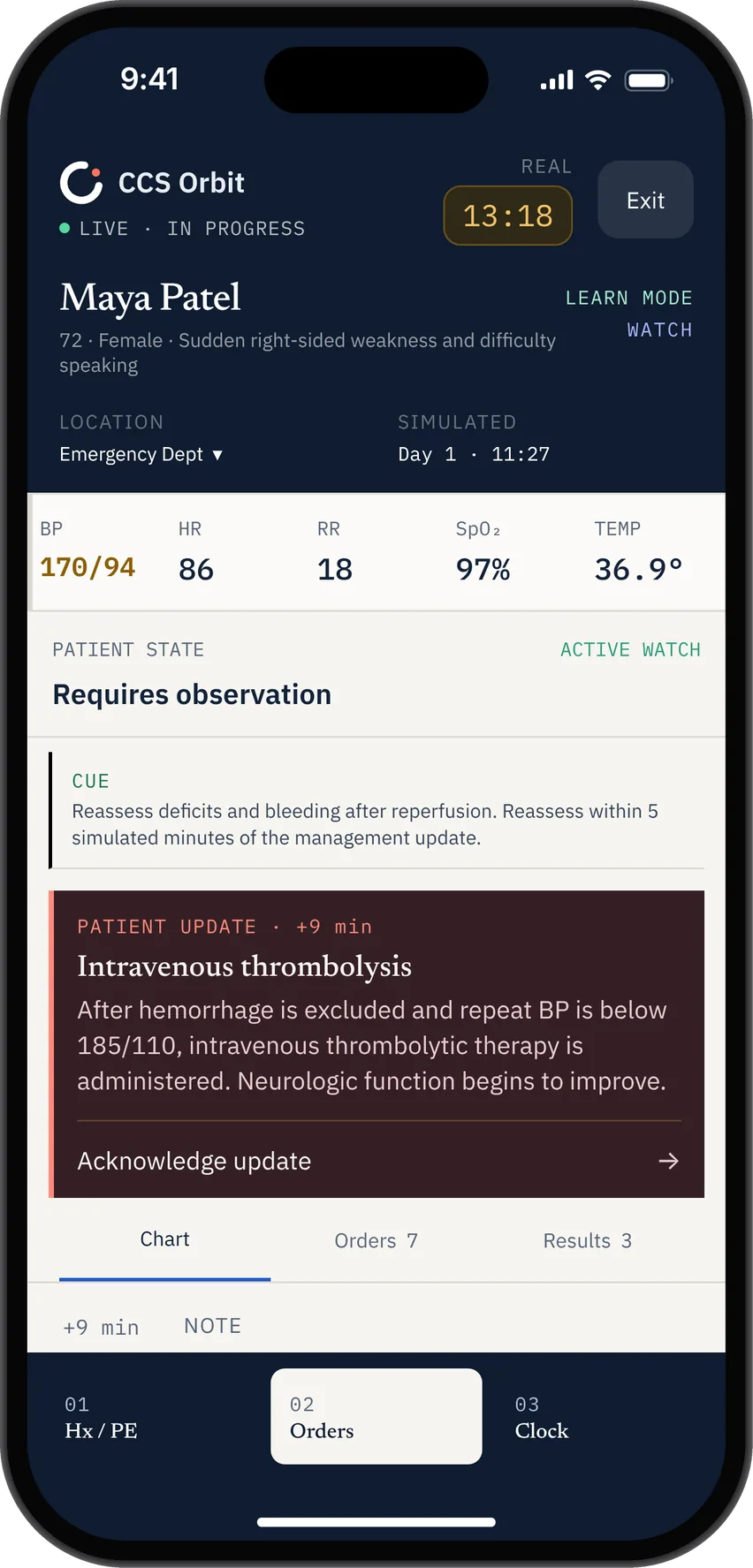
REASSESS
Build reassessment into the way you practice.
LEARN
Make every completed attempt useful.
FREE STEP 3 RESOURCES
Plan your preparation, strengthen your recall and practice biostatistics. Free to use, with no account needed.
Plan your preparation
Build a daily plan around your exam dates, available time, questions and CCS cases. Print it or export it to your calendar.
Build your study planStrengthen your recall
Search 44 memory aids for opening orders, admission and case-end management. Download the PDF or CSV for quick reference.
Explore the databaseUnderstand the numbers
Practice calculations and interpretation with worked answers, an interactive 2×2 table and timed question sets.
Practice biostatisticsYOUR CASE HISTORY
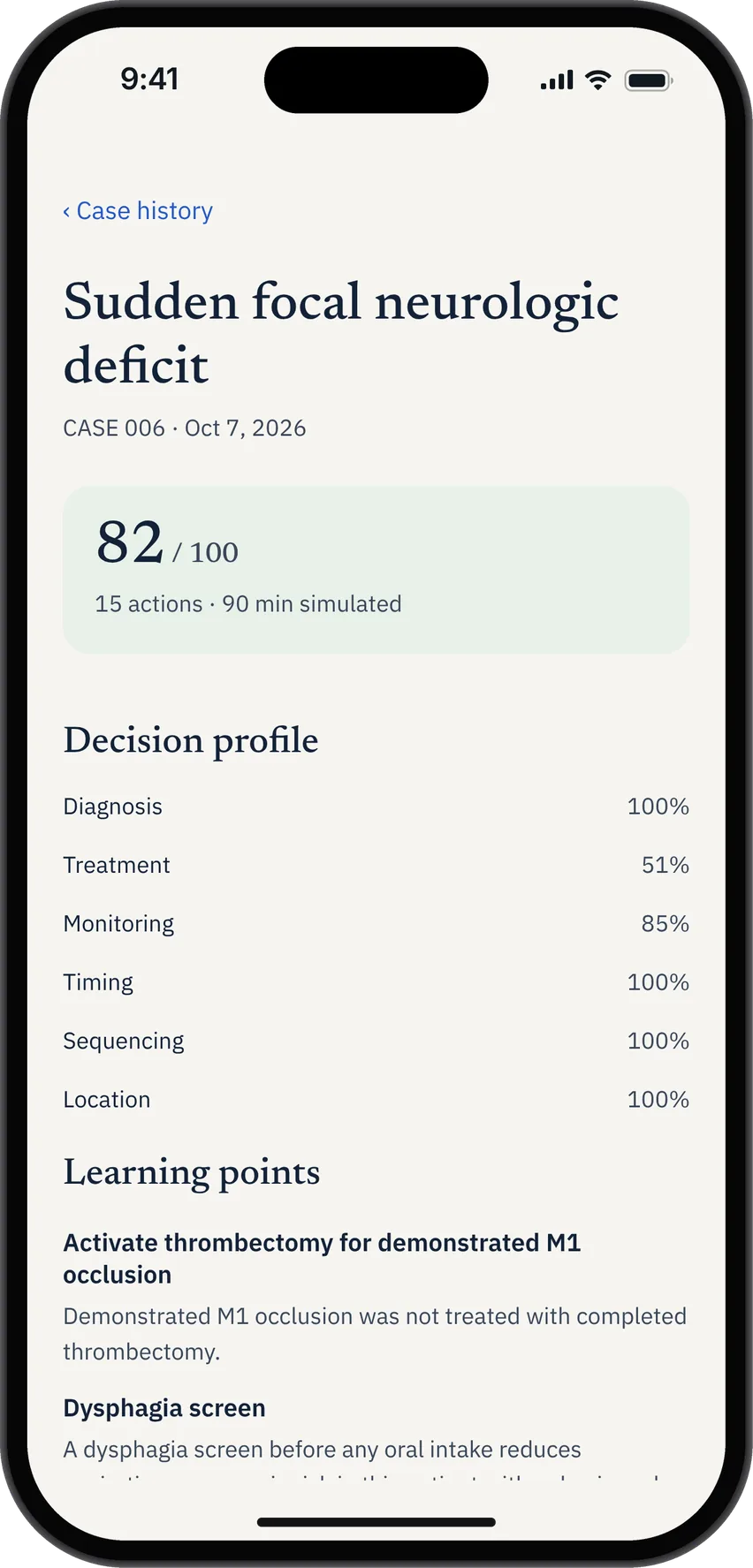
Open any completed CCS case to review your six-domain breakdown, revisit missed decisions and see where care was delayed.
COMPARE STEP 3 CCS RESOURCES
Some Step 3 resources prioritize case volume or broad exam preparation. CCS Orbit is designed for mobile practice, transparent feedback and identifying patterns across cases.
Swipe the table to compare features and prices.
| Compare | CCS OrbitMOBILE-FIRST | CCSCases.com ↗ | UWorld Step 3 ↗ |
|---|---|---|---|
| Best for | Everyday mobile CCS practice | High-volume case repetition | Complete Step 3 preparation |
| Dynamic cases | Time, treatment and patient-state changes | Real-time simulation | Interactive CCS cases |
| Feedback | Six domains linked to your timeline | Case grade and feedback | Case explanations |
| Across-case insights | Decision Profile, Focus Mode and Error Log | CCS performance statistics and peer comparison | Not publicly highlighted for CCS |
| Modes | LearnExam | Exam-style simulation | Guided explanations |
| Try free | 3 cases · No sign up required | 2 cases advertised | No standalone free CCS tier advertised |
| Practice experience | Designed for iPhone | Browser-based simulator across devices | Medical app and exam-like CCS software |
| Offline practice | Cases and debriefs work offline | Offline flashcards advertised; simulator runs in browser | Offline CCS access not specified on product page |
| Getting started | No account required | Account login for full access | Account login for purchased access |
| Lifetime option | One payment for lifetime Orbit Plus access | Fixed-duration subscriptions | Fixed-duration course plans |
| Price* | From $70USD | From $449USD · broader bundle |
*CCS Orbit pricing updated 13 October 2026. Competitor prices and provider descriptions checked September 18, 2026.
SIMPLE STEP 3 CCS PRICING
Complete three cases and review the full debrief before choosing a plan.
FREE
Enough to experience the complete management loop.
ORBIT PLUS LIFETIME
One payment. Full access with no expiry.
Keep practicing through exam day and beyond. No automatic renewal.
ORBIT PLUS EXAM PASS
One payment. 60 days of full access.
Expires 60 days after purchase. No automatic renewal.
Choose the 60-day Exam Pass or Lifetime access. Prices are shown in US dollars. Both paid options are one-time purchases with no automatic renewal or monthly subscription. Regional pricing and applicable taxes are displayed in the App Store purchase sheet.
USMLE STEP 3 CCS ON iPHONE
Complete a full CCS case, repair one weak decision or pick up exactly where you left off.
CCS Orbit is an iPhone-first USMLE Step 3 CCS practice app. Manage simulated patients, place orders, advance simulated time and review feedback across six clinical-management domains.
120+ CCS cases at launch. Three cases are free; Orbit Plus unlocks the complete library.
Cases and debriefs work offline.
CCS Orbit includes 10-minute and 20-minute cases. Allow extra time afterward to review your decisions and debrief.
No account required. You can complete the three free cases without signing up. Orbit Plus is available through Apple in-app purchases.
Three cases are free. Orbit Plus offers a 60-day Exam Pass for US$34.99 or lifetime access for US$59.99. These are the only two paid options. Both are one-time purchases with no automatic renewal or monthly subscription. Regional prices and applicable taxes appear in the App Store purchase sheet.
No. CCS Orbit has only two paid options: the 60-day Exam Pass and Lifetime access. Both are one-time purchases. The Exam Pass expires 60 days after purchase; Lifetime access has no expiry. Neither renews automatically.
CCS Orbit focuses on CCS practice, with six-domain feedback, a management timeline and a Decision Profile across cases. UWorld combines CCS with broader Step 3 preparation, including its question bank and explanations.
THE STEP 3 CCS GUIDE
A practical framework for managing a case from opening orders to final review.
Read the guide →Start with purposeBuild a focused opening set that responds to the patient in front of you.
Read the guide →Use the clock wellSpot the habits that put the right action at the wrong moment.
Read the guide →